
Work Order Audits (HQ)
The Work Order Audit feature provides a trail of modifications made to your work orders within Tinnacity. For instance, if an administrative work order is marked "Completed," you can use this tool to identify exactly which user performed the action.
Key Considerations
- Data Scope: While powerful, please keep in mind that the audit log tracks primary changes but does not capture every minor system modification.
- Permissions: By default, access is restricted to Account Owners.
- Enabling Access: To grant this visibility to other HQ users, navigate to Workforce > Roles and update the permissions for their specific role.
View Work Order Audits
-
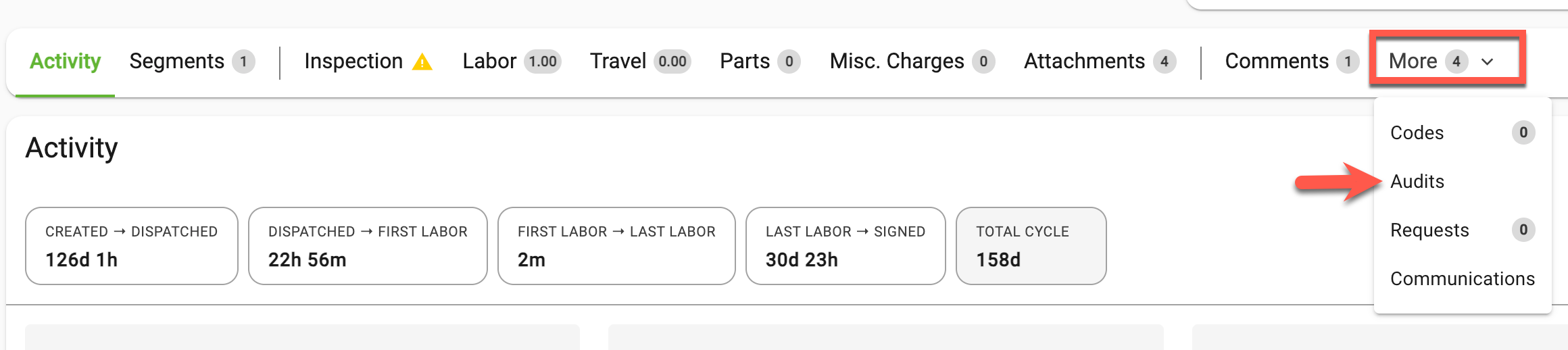
Open the work order, then click Audits within the tab options. If you don't see it, click the More tab, then Audits.
-
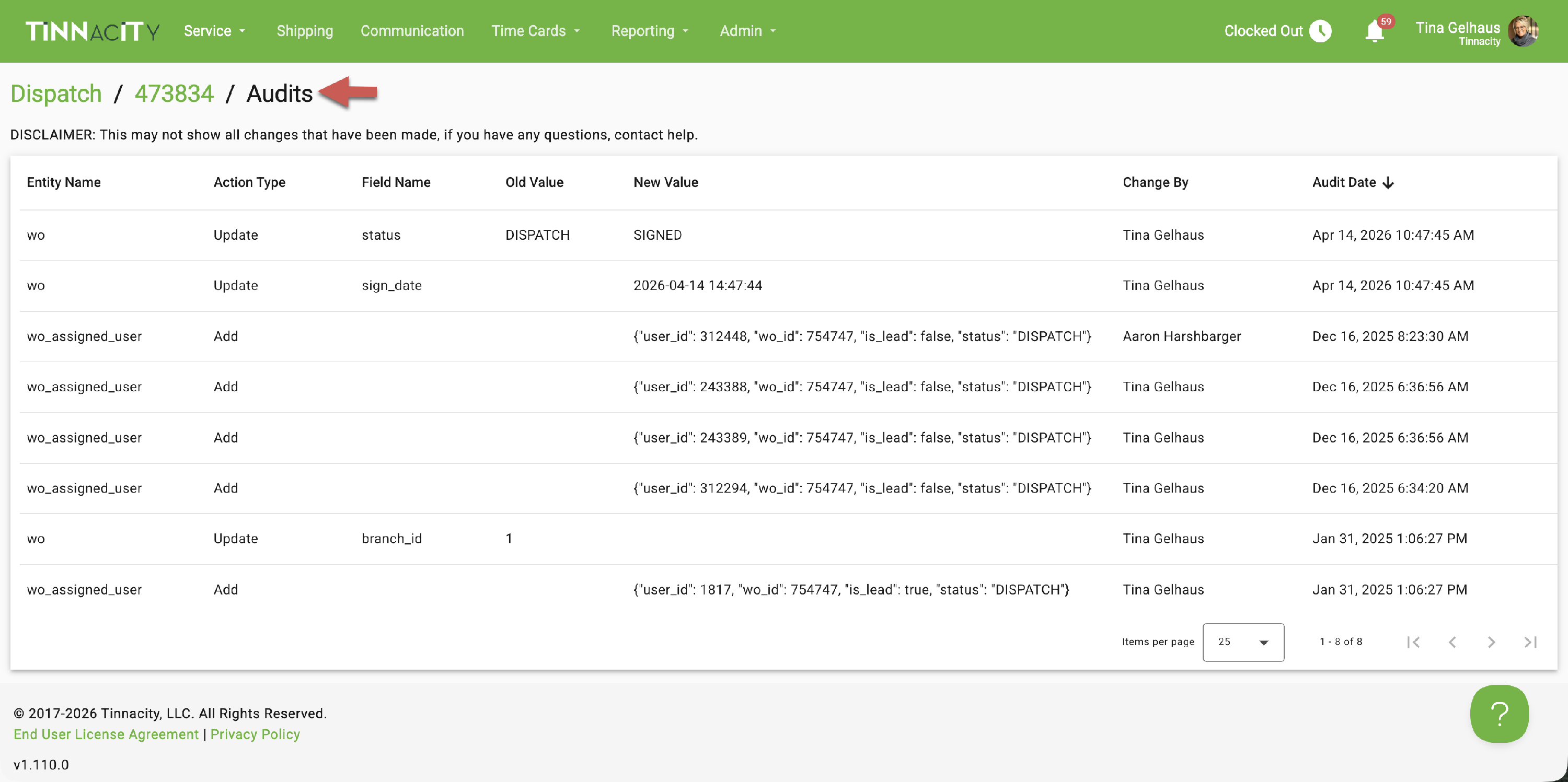
The Audits view lists every captured change to the work order.
What the Audit History Shows
Each row in the Audits view shows one change:
- Entity Name: what was changed, for example Work Order or Technician Assignment
- Action Type: whether something was added, updated, or removed
- Field Name: the field that changed, shown by its name in HQ, for example Status or Arrival Date/Time
- Old Value and New Value: the value before and after the change, in plain language. For example, Status changed from Dispatched to Open. A field that was empty shows Not set.
- Change By: the user who made the change
- Audit Date: when the change was made