Set Default Camera (Front or Back)
To set the default camera, front or back, to use within the Service app follow the below steps:
-
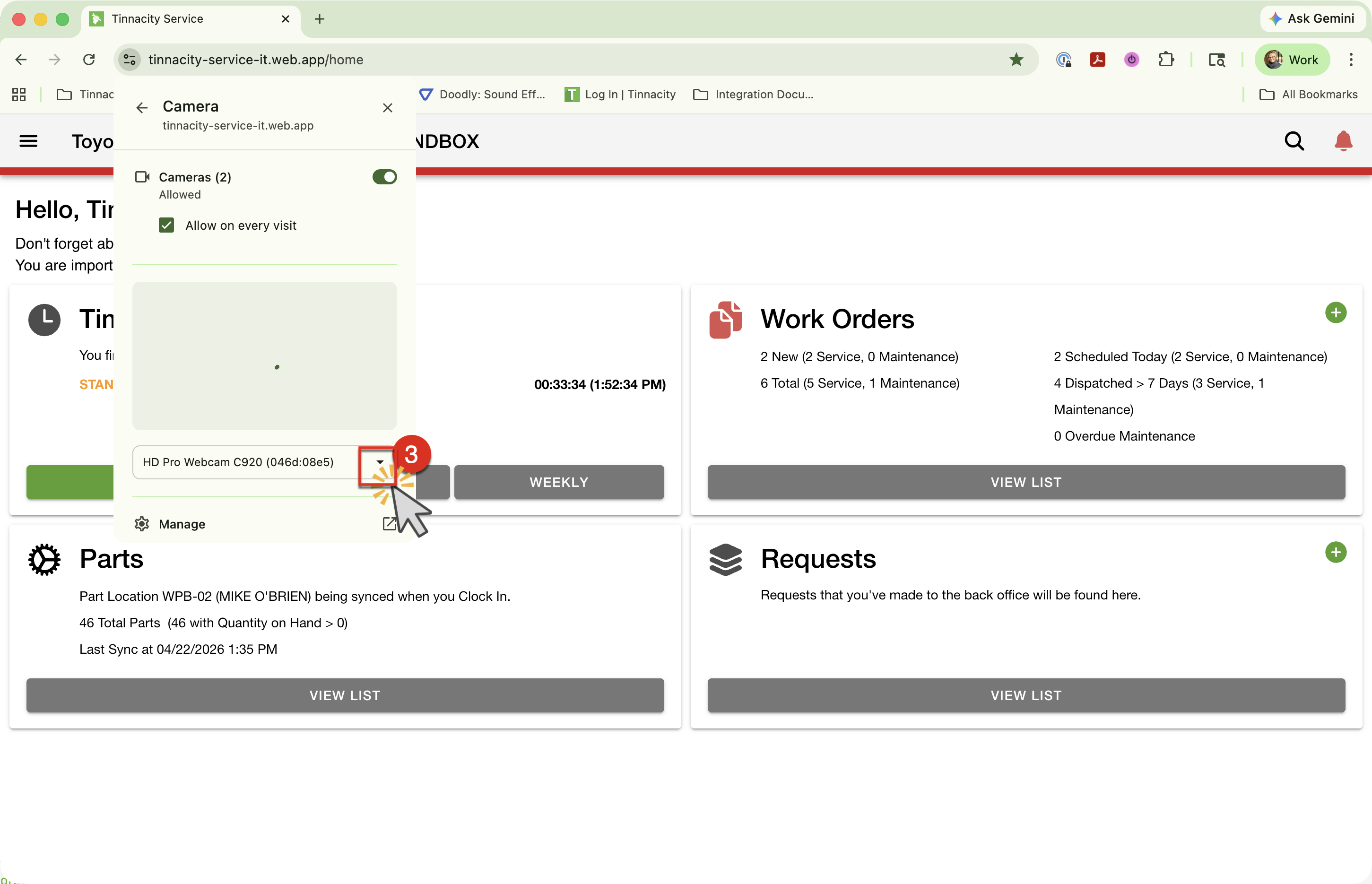
With the Progressive Windows App open, click the 'options' icon in the URL.
-
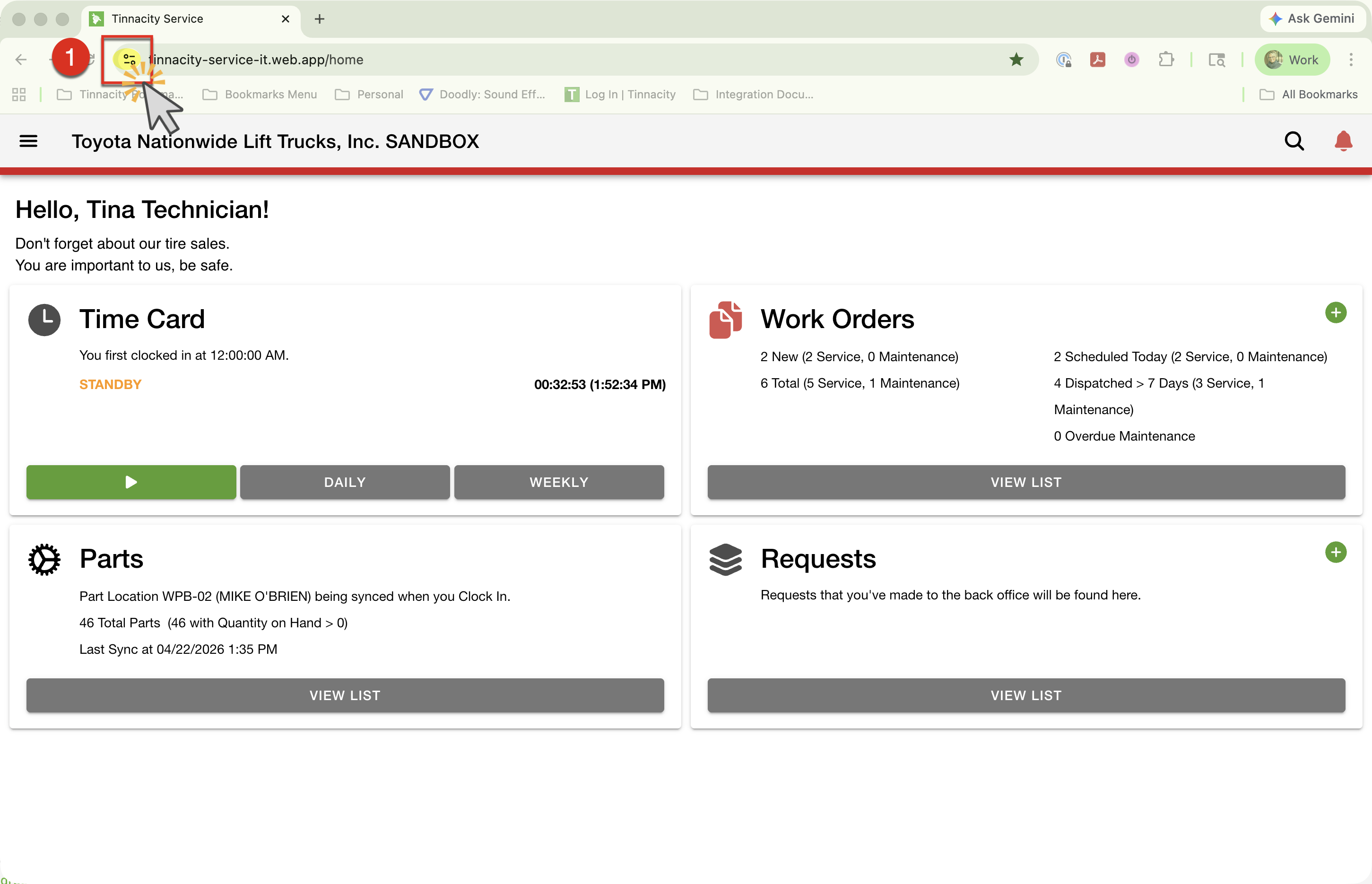
Click the '>' next to Camera.
-
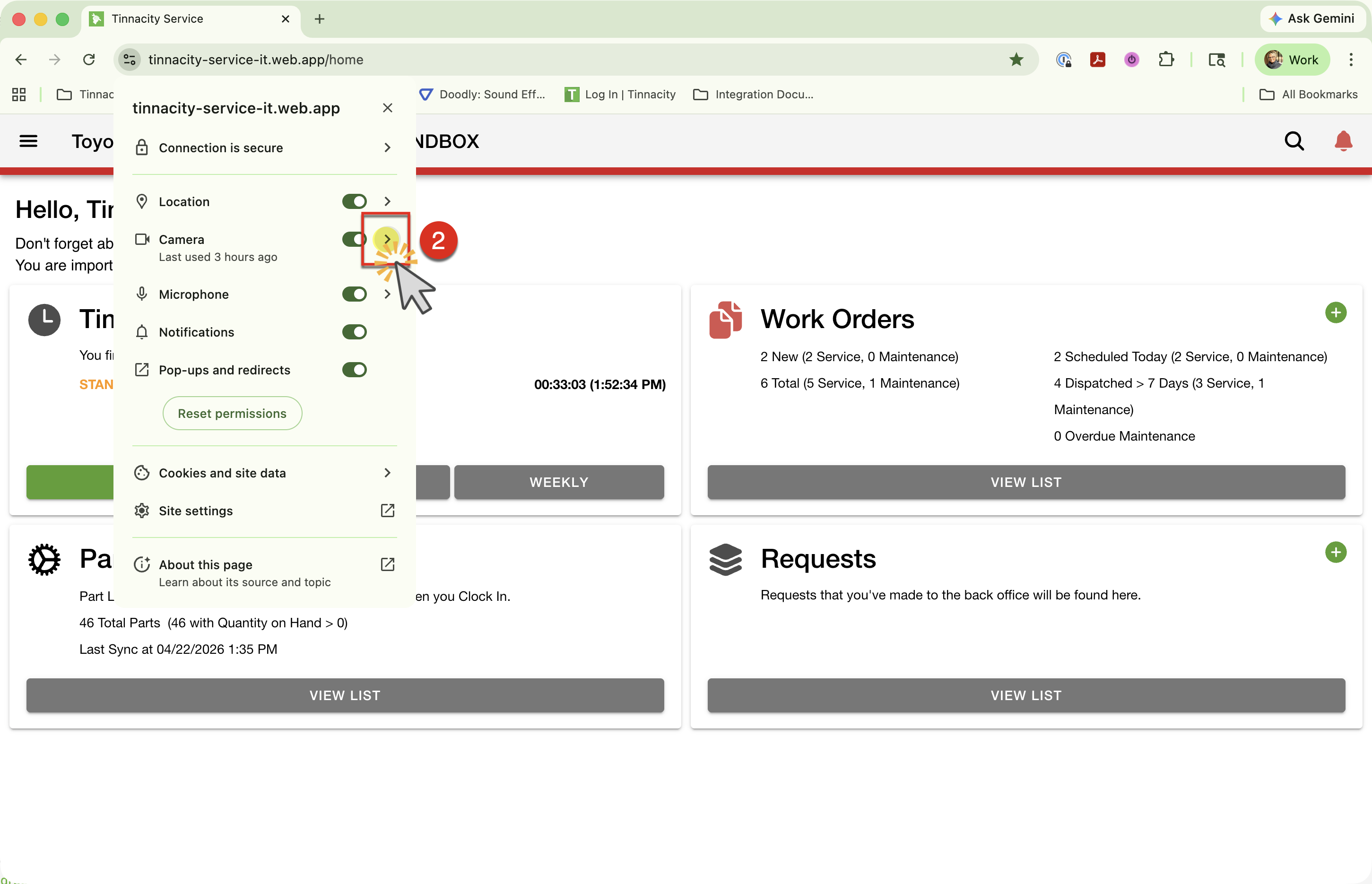
From the Camera dropdown, select the desired [back or front] camera.