Location Requests
If a customer location is missing in TICS, you can submit a Location Request to automatically generate all locations for that customer. Please note that you will still need to complete the client's make mappings once the locations are created.
-
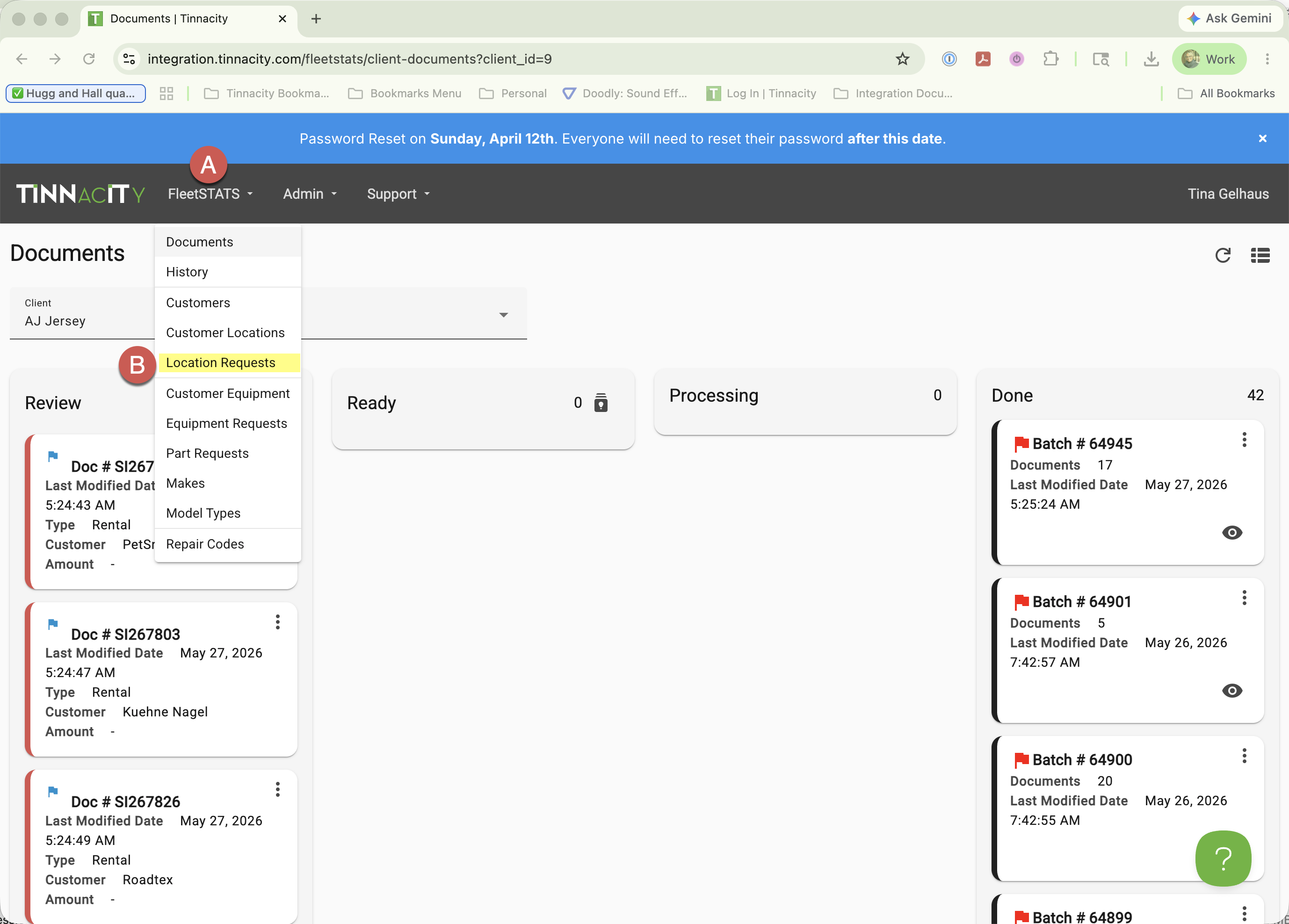
In TICS, go to FleetSTATS>Location Requests.
-
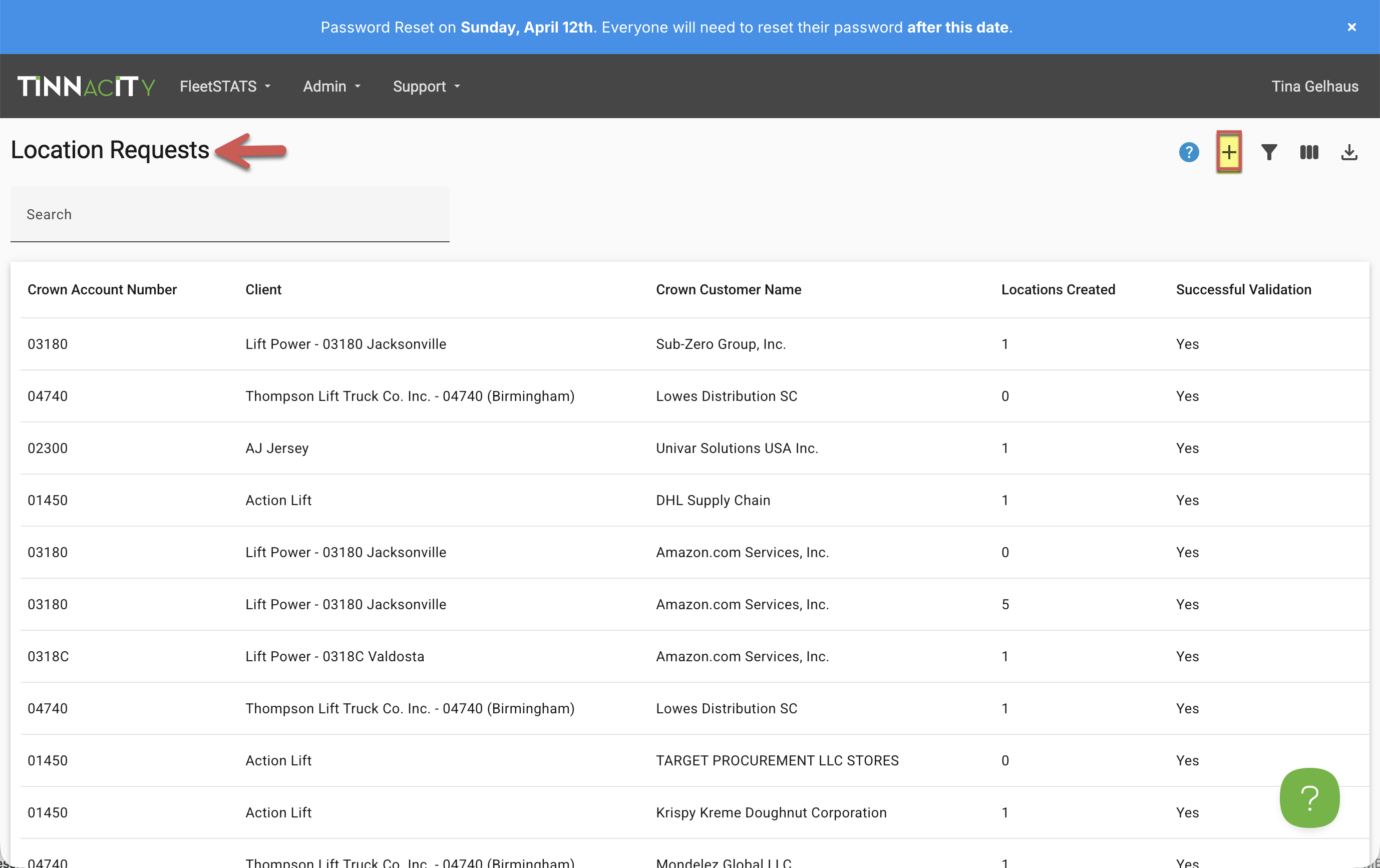
Click the '+' sign.
-
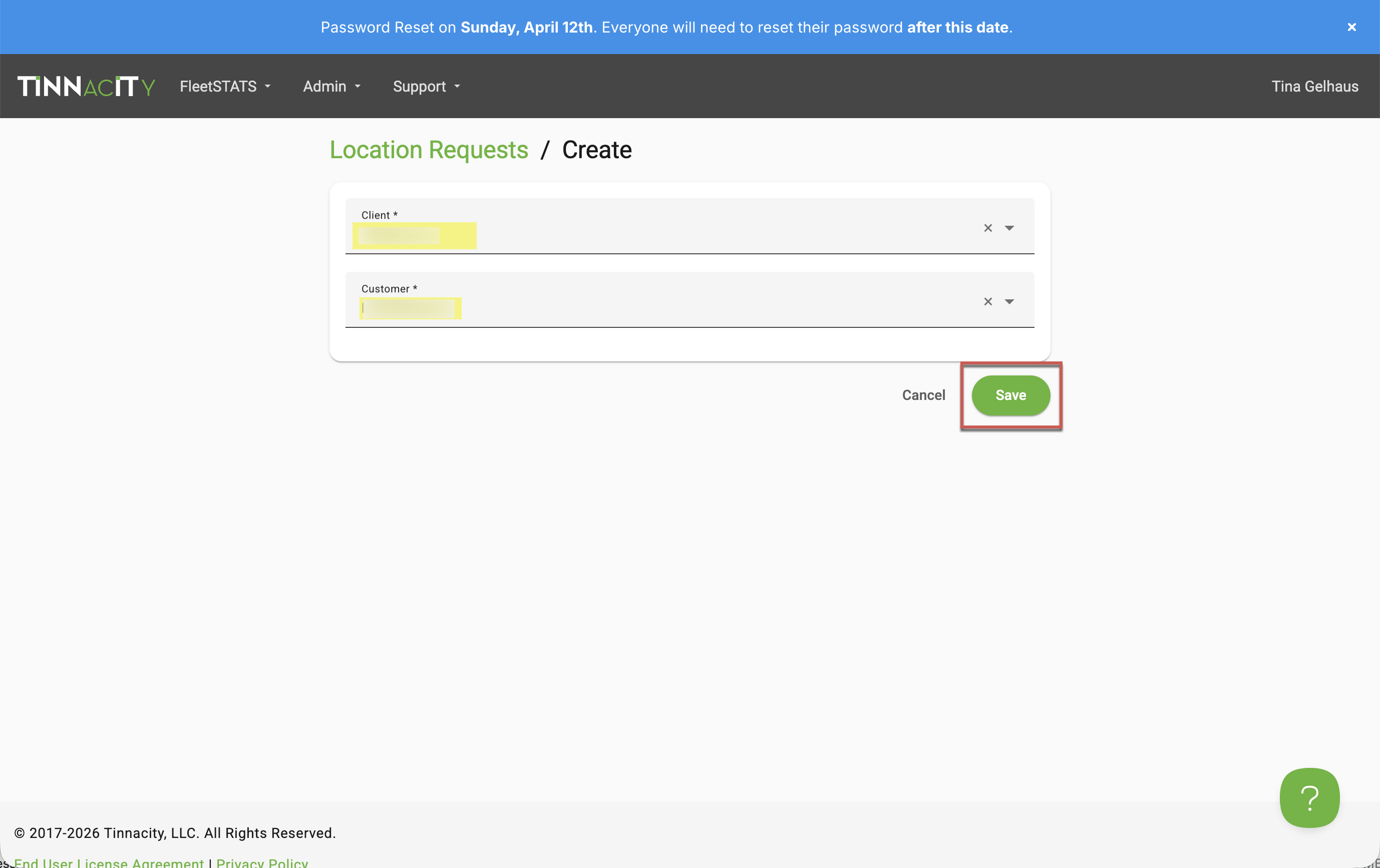
Select the Client and Customer, then click [Save].